ALREDUSend me a message
All builds

Month-end project invoice review

Time cards become a review list per project, and each manager decision is written back into the invoice workbook.

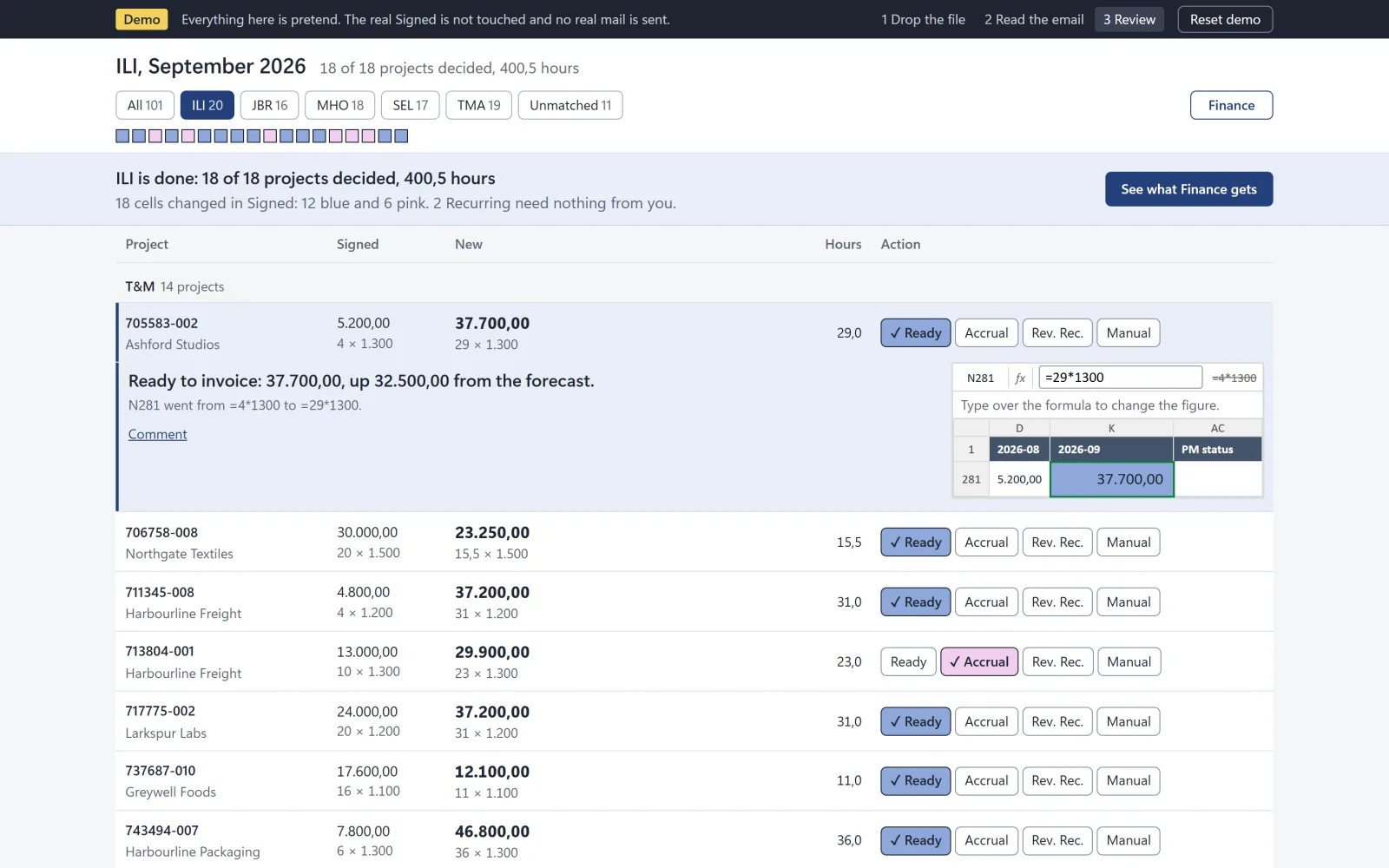
The month-end review screen on a laptop: a project manager has decided every project, with a banner and a mock spreadsheet cell, all invented test data.
Status
Private copy, filmed on test data
Runs on
Microsoft 365, SharePoint, Excel, Office Scripts, Outlook, Power Automate
Data
Invented companies and test data
Opening frame of the trailer for Month-end project invoice review.Draft

The problem

At month end, every project manager at Brightwater Systems (an invented company) must confirm hours before invoicing. A script split time cards into one Excel file per person, then the finance manager copied the approved hours into the invoicing workbook by hand.

What I built

Power Automate flows turn a time card export into one SharePoint list item per project. Office Scripts compare forecast with actual hours. Each manager records one decision, and a script writes the hours, colour and mark into the Excel workbook. A report goes out by email.
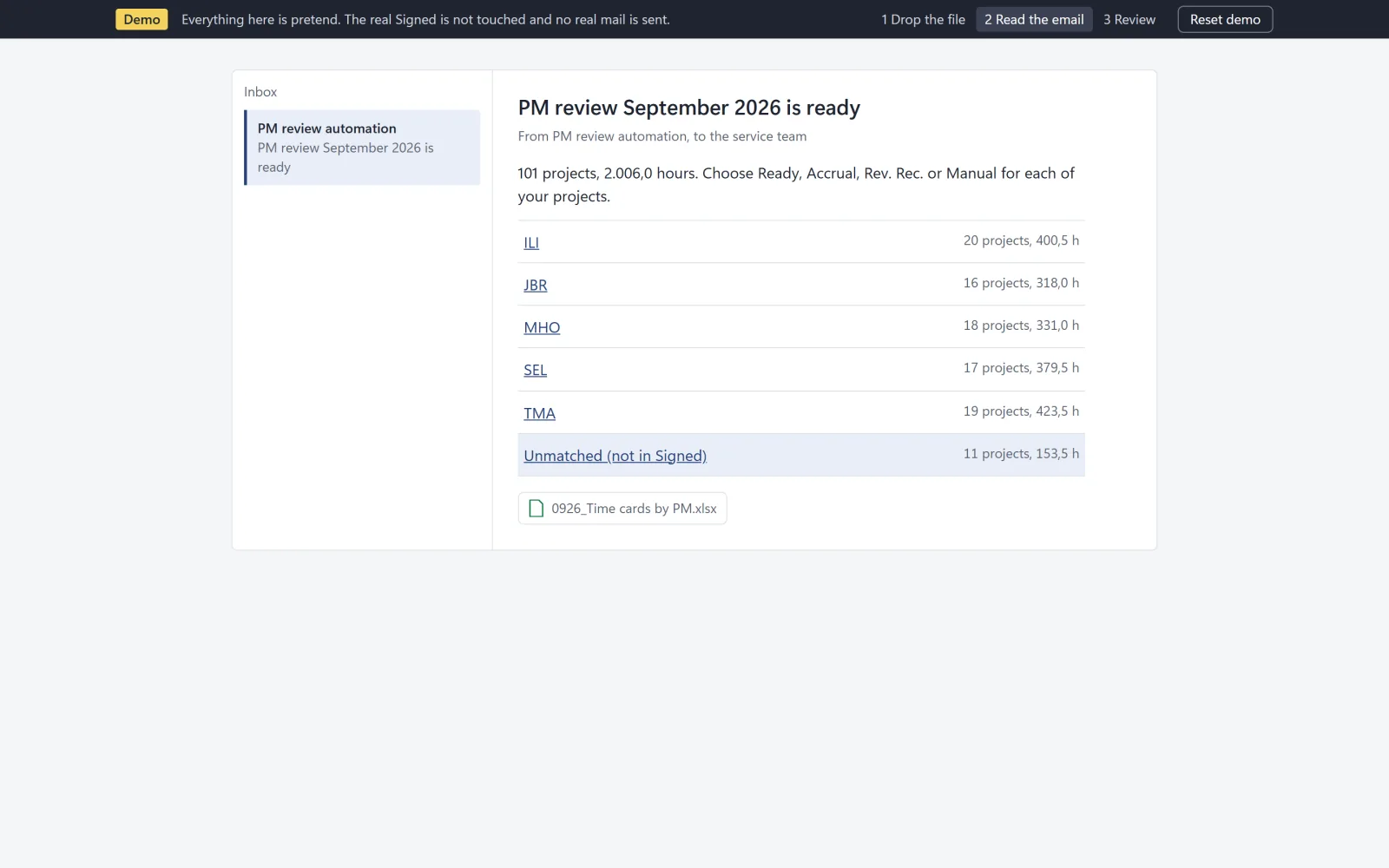
The pretend email that tells each project manager their month-end review is ready, listing projects and hours per person (invented data).
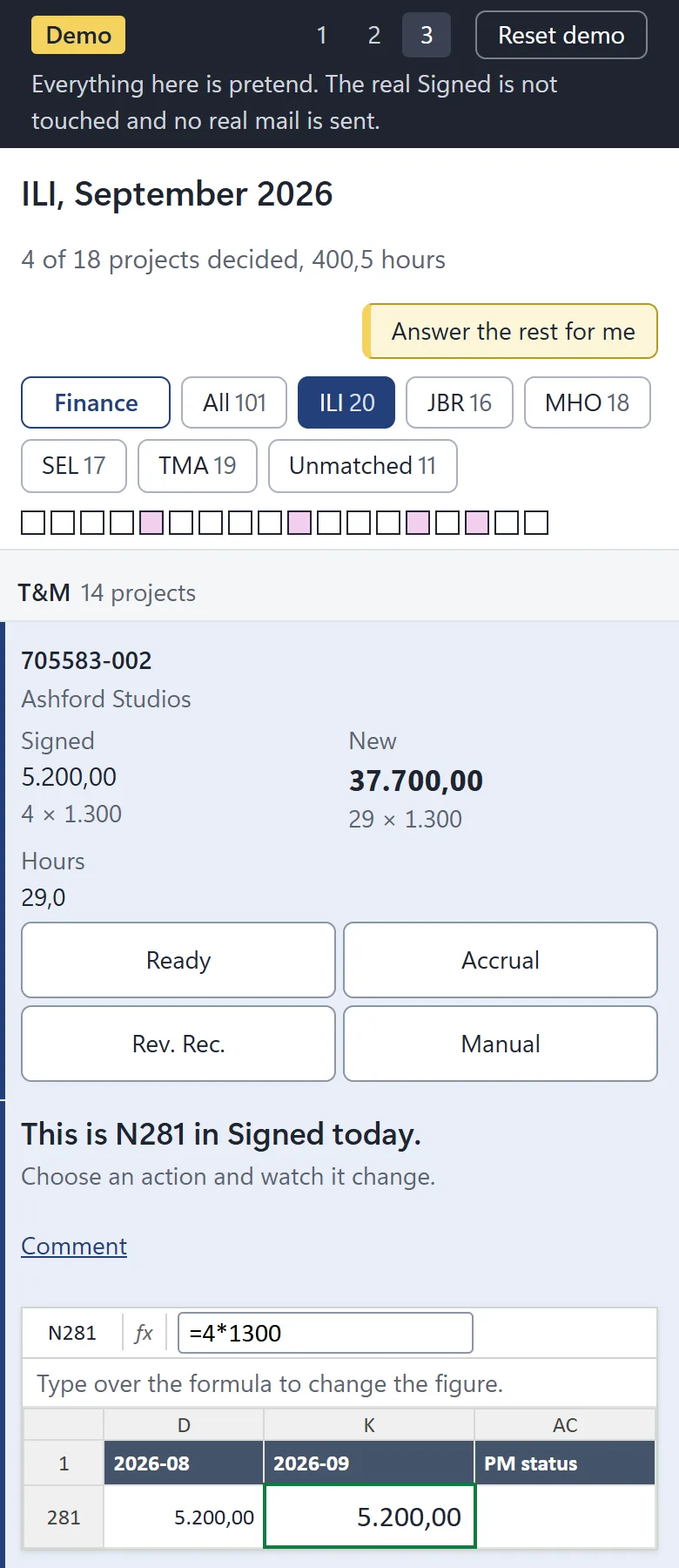
The review screen on a phone, with a project open to show its figure and the Ready, Accrual, Rev. Rec. and Manual choices (invented data).

What it changed

Ran end to end in a test tenant on a month of test data: about a hundred projects and close to two thousand hours. By design it covers about 95 percent of month-end service invoicing; the rest stays manual. A public click-through demo runs on scrambled data.

Tell me what you want to automate.

Send me a message